Back up, move and stage your WordPress site. One button each.
StoryNova Staging finishes on cheap shared hosting where other plugins time out, keeps you logged in through a migration, and costs one payment instead of one every year.
Free backs up, restores, migrates at any site size and creates staging. Pro adds push-to-live and schedules. No account needed for either.
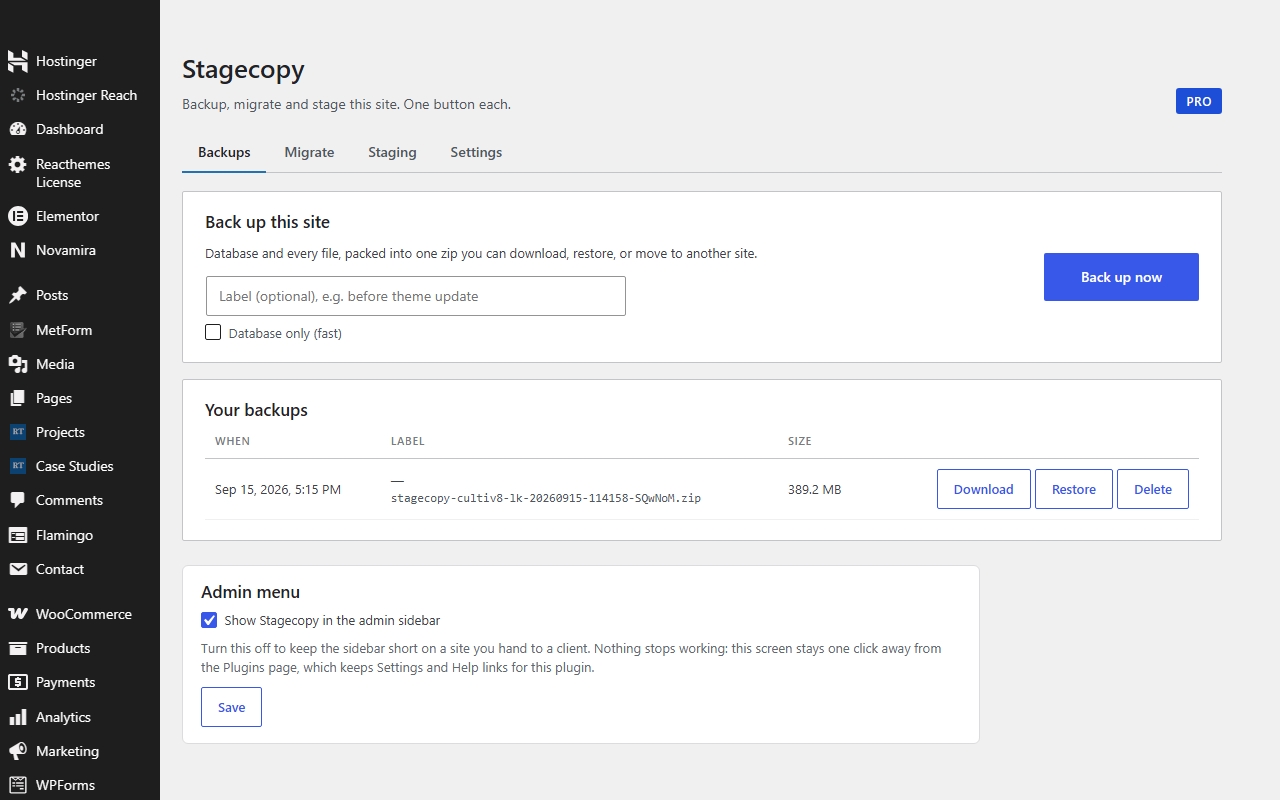
Three jobs. Three buttons.
Most backup plugins have forty settings and a dashboard that looks like a cockpit. StoryNova Staging has the three things you actually do.
Everything in one zip
Database and all files. Download it, restore it with one click, or keep the newest N automatically. Database-only mode takes seconds.
Old host to new host in minutes
Export on the old site, drop the zip on the new one. URLs, paths and table prefix are rewritten, including serialized and JSON data. Your admin login survives.
Test updates without fear
Clone to /staging with its own tables, blocked from search engines. Break it, fix it, then push to live. Live is backed up first, automatically.
Pay once, or pay yearly. Never both.
Backups are your files. You shouldn't rent access to them.
Free
- Unlimited manual backups and restores of your site
- Database-only quick backups
- Migration: move any site to a new host or domain, login kept, no size limit
- Create a staging site to test updates on
- Keeps as many backups as you choose
GPL. Also on WordPress.org.
Pro
- Everything in Free, plus a small Pro add-on you install next to it
- One-click push from staging back to live
- Scheduled daily or weekly backups
- Licence for 2, 10 or unlimited sites, every future update
- Priority email support
- Every future update, no renewal
30-day refund, no questions. Licence key by email in under a minute.
Free against free
Paid against paid
Questions people ask before buying
How do I install Pro?
Keep the free plugin installed and upload the StoryNova Staging Pro add-on from your purchase email, then paste your licence key on its Pro tab. The free plugin never expires and never locks anything; Pro only adds features.
Will it work on my cheap host?
That is the point of it. Every task is split into short steps that save progress, so a 30-second execution limit just means more steps, not a failure.
Does migration handle a new domain?
Yes, plus a new folder path and a new table prefix. Serialized options and JSON block data are rewritten safely, not with a blind find-and-replace.
Where do the backups live?
In a protected folder inside your own wp-content. Nothing is uploaded to us. Download them to keep an off-site copy.
What if I want my money back?
Email within 30 days and it's refunded. No form, no reason required.
How do I install it?
Download the zip, then in WordPress go to Plugins → Add New → Upload Plugin, choose the zip and click Install, then Activate. Pro features switch on when you paste your licence key on the plugin's Licence tab. No FTP and no build step. Updates arrive through the normal WordPress plugin updater.